
Screenshots

App details
- Version
- 2.5
- Size
- 853.39 KB
- Updated
- July 15, 2022
- Requires
- Windows ME
- Language
- English
- License
- Trial version
- Developer
- Pptshare
- Category
- Windows OS
SoftPas in:
This product is also available in the following languages:
About PPTshare File Compressor
Download PPTshare File Compressor – Free PowerPoint Compression Tool for Windows
Looking for a fast, reliable way to shrink your PowerPoint files without losing quality? PPTshare File Compressor is a lightweight, free software tool designed exclusively for Windows users who need to reduce the size of their presentations by up to 95%. Whether you're an educator preparing lecture slides, a business professional sending reports, or a student sharing project decks, this tool helps you optimize your files for email, cloud storage, or USB drives. With its intuitive drag-and-drop interface and support for batch processing, PPTshare File Compressor makes file compression simple and efficient. Despite its age, the software remains functional and widely used across countries like India, the United States, and Bangladesh. It’s a secure, no-installation-required tool that doesn’t burden your system with heavy processes. Download PPTshare File Compressor today and streamline your workflow with faster sharing and reduced storage needs.
Key Features of PPTshare File Compressor
One of the standout reasons why PPTshare File Compressor continues to be a go-to tool for PowerPoint users is its powerful yet simple feature set. The software specializes in compressing .PPT and .PPTX files—common formats used in presentations—without compromising image clarity, animations, or slide transitions. This ensures your content remains professional and visually consistent after compression. The tool achieves up to a 95% reduction in file size, which is especially beneficial when sending large presentations via email, where attachment limits often apply.
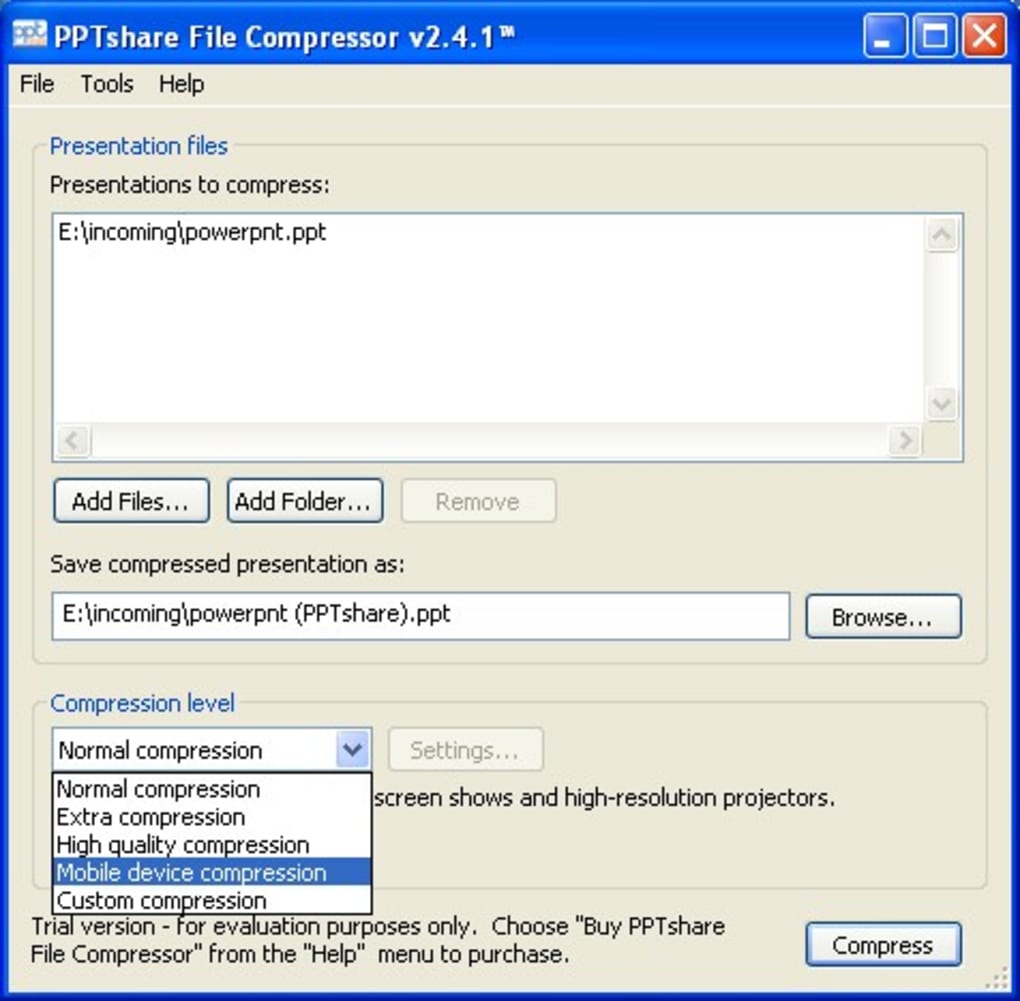
Another major advantage is its drag-and-drop interface. Users don’t need technical expertise—simply drag your presentation file into the application window, and the compression begins instantly. For those managing multiple files, the batch processing feature is a game-changer. You can select several PowerPoint files at once and compress them in a single operation, saving significant time during project preparation or classroom setup.
Additionally, PPTshare File Compressor is lightweight and secure. It doesn’t require a lengthy installation process and runs efficiently on older Windows systems, including Windows 98 and earlier versions. This makes it ideal for users with limited hardware resources. The software is also free to download and use, with a trial version available for testing. While it lacks modern UI polish, its core functionality remains robust and dependable. Whether you're sharing a 500MB presentation or a 100-slide deck with embedded videos, this tool ensures your files are compact and ready to go.
How to Install and Use PPTshare File Compressor
Installing and using PPTshare File Compressor is straightforward, even for non-technical users. Begin by visiting the official download page and clicking the “Download” button. The installer is small in size—typically under 5MB—so it downloads quickly, even on slower internet connections. Once downloaded, run the setup file and follow the on-screen prompts. The installation process takes less than a minute and doesn’t require administrative rights on most systems.
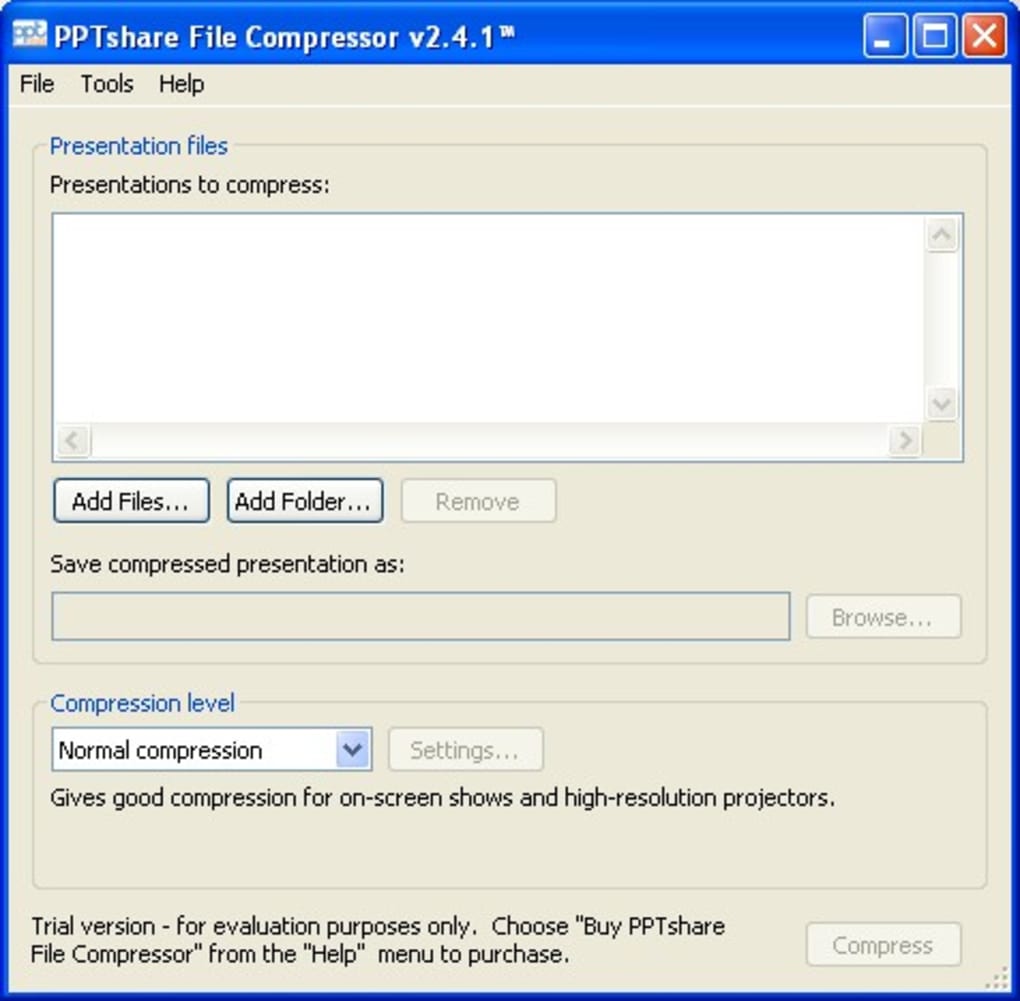
After installation, launch the application. You’ll be greeted with a minimalistic interface featuring a central drop zone. To compress a file, simply drag your PowerPoint presentation (.PPT or .PPTX) into this area. The software will automatically analyze the file and begin compression. A progress bar shows real-time updates, and once complete, the compressed version is saved to your chosen folder—usually the same directory as the original file, with a “compressed_” prefix.
For advanced users, the batch mode allows you to select multiple files simultaneously. Just hold down the Ctrl or Shift key while selecting files, then drag them all into the app. The tool processes each file independently, maintaining individual quality and structure. You can also customize output settings, such as choosing the compression level (standard or maximum), though options are limited compared to modern tools. Despite its simplicity, the workflow is efficient and user-friendly. After compressing, always verify the output file to ensure all content displays correctly, especially if your presentation includes embedded media.
Compatibility and System Requirements
PPTshare File Compressor is designed specifically for the Windows operating system and supports a wide range of older and newer versions, including Windows 98, Windows ME, Windows XP, Windows Vista, and Windows 7. This broad compatibility is one of its key strengths, especially for users still running legacy systems in educational institutions or small businesses. However, it does not support Mac, Android, or iOS platforms, which limits its accessibility for cross-device users.
The software has minimal system requirements. It runs smoothly on machines with as little as 256MB of RAM and a 1GHz processor, making it ideal for older computers that struggle with modern software. It doesn’t require .NET Framework or additional runtime libraries, reducing the risk of installation errors. The entire application is distributed as a single executable file, meaning no complex setup or background services are needed.
Despite being last updated in 2010, the tool remains functional and secure for basic compression tasks. However, users should be cautious when downloading from third-party sites, as outdated software can sometimes be bundled with unwanted ads or malware. Always download from the official source to ensure a clean, safe experience. While it lacks modern features like cloud integration or AI-driven optimization, its core function—compressing PowerPoint files—is executed reliably and consistently.
Pros and Cons of PPTshare File Compressor
- Pros:
- Reduces PowerPoint file size by up to 95% without quality loss
- Simple drag-and-drop interface—easy for beginners
- Supports batch processing for multiple files
- Lightweight and runs on older Windows systems
- Free to download and use with no hidden costs
- Secure and stable with minimal system impact
- Cons:
- Only available for Windows (no Mac, iOS, or Android support)
- Outdated interface with no modern design updates
- Last updated in 2010—no new features or security patches
- Limited customization options for compression settings
- Doesn’t support newer file formats beyond .PPT and .PPTX
Frequently Asked Questions (FAQ)
- Is PPTshare File Compressor free to download?
- Yes, PPTshare File Compressor is completely free to download and use. There is no paid version or subscription required. A trial version is available for testing, but it offers full functionality without time limits.
- Can I use PPTshare File Compressor on Mac or mobile devices?
- No, PPTshare File Compressor is only compatible with Windows operating systems. It does not support Mac, Android, or iOS. Users on other platforms should consider alternatives like PeaZip or 7-Zip for file compression.
- How much can PPTshare reduce my PowerPoint file size?
- PPTshare File Compressor can reduce PowerPoint file sizes by up to 95%, depending on the content. Presentations with high-resolution images, videos, or complex animations typically see the greatest reduction.
- Does compression affect the quality of my presentation?
- No, PPTshare File Compressor maintains the original quality of your slides, including text, images, animations, and transitions. The compression focuses on optimizing file structure, not altering visual content.
- Is PPTshare File Compressor safe to use?
- Yes, the official version of PPTshare File Compressor is safe and secure. However, always download from the official website to avoid bundled malware from third-party sites.
Final Verdict and Call to Action
Despite its age and lack of modern features, PPTshare File Compressor remains a powerful and reliable tool for Windows users who need to shrink PowerPoint files quickly and safely. Its ability to reduce file sizes by up to 95% without quality loss makes it a must-have for educators, professionals, and students alike. The simple interface, batch processing, and low system requirements ensure a smooth experience even on older machines.
While it lacks support for Mac and mobile platforms and hasn’t been updated since 2010, its core functionality is still solid and dependable. If you're using Windows and frequently deal with large presentation files, this free tool can significantly improve your workflow. Download PPTshare File Compressor today and enjoy faster sharing, lower storage usage, and hassle-free file management.
Download Now – Free, Secure, and Built for Windows Users
Guides & Tutorials
How to install PPTshare File Compressor
- Click the Download button above.
- Once redirected, accept the terms and click Install.
- Wait for the PPTshare File Compressor download to finish on your device.
How to use PPTshare File Compressor
This software is primarily used for its core features described above. Open the app after installation to explore its capabilities.
User Reviews
No reviews yet. Be the first to share your experience.
You may also like
more
Llama 2
Free-to-use large language model As the new addition to Meta’s arsenal of langua...

NotebookLM
Revolutionizing the note-taking and idea-generation process NotebookLM is an exp...

Github co pilot
AI-inspired software development and coding platform GitHub Copilot is a browser...

Google Gemma
Google’s lightweight AI models Introducing Google Gemma , a family of cutting-ed...

AI Image Enlarger
A free app for Windows, by ai-image-larger. AI Image Enlarger is a free software...

DALL E
AI-driven text-to-image transformation engine DALL·E is a free graphic and desig...